
To view this content in our official product documentation, click here.
Introduction
If you've built and deployed a new process flow, you must enable the flow so it runs automatically based on defined trigger settings.
If you need to pause a process flow from running automatically (for example, to troubleshoot an issue with associated systems), you can disable it at any time, then re-enable when you're ready.
Availability of enable and disable options depends on the current state of the selected flow deployment. If a flow deployment is enabled, then a disable option is available. If the selected flow deployment is disabled, an enable option is shown.
{% hint style="warning" %} If you use virtual environments, different instructions apply - please refer to Disabling & Enabling a process flow deployment for a virtual environment. {% endhint %}
The steps
{% stepper %} {% step %} Access version details for the required process flow
Open settings for your process flow and scroll down to the versions panel.
For detailed instructions, please refer to Accessing process flow versions.{% endstep %}
{% step %} Check the enabled/disabled status
Check how the enabled toggle option (near the top of the settings panel). For example:
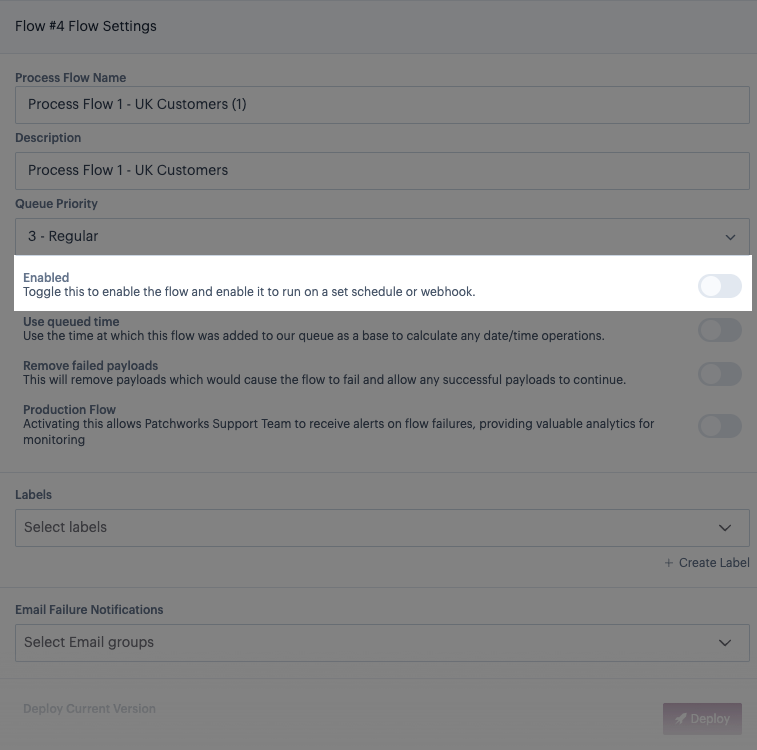
Set this option as required, bearing in mind:
- If this option is toggled
off, the flow will NOT run according to any defined trigger settings - it only runs if you choose to do so manually (useful if you are testing a flow). - If this option is toggled
on, the flow will run according to any defined trigger settings immediately.
{% endstep %} {% endstepper %}
Comments
0 comments
Please sign in to leave a comment.