
To view this content in our official product documentation, click here.
Introduction
It's often useful to refer back to an inactive version of a flow for a reminder of how things used to be set up. However, retaining multiple inactive versions for lots of process flows may impact flow run performance. With this in mind, it's good practice to remove older, inactive versions, periodically.
The steps
{% stepper %} {% step %} Access version details for the required process flow
Open settings for the required process flow and scroll down to the versions panel.

For detailed instructions, please refer to Accessing process flow versions.
{% endstep %}
{% step %} Access version actions
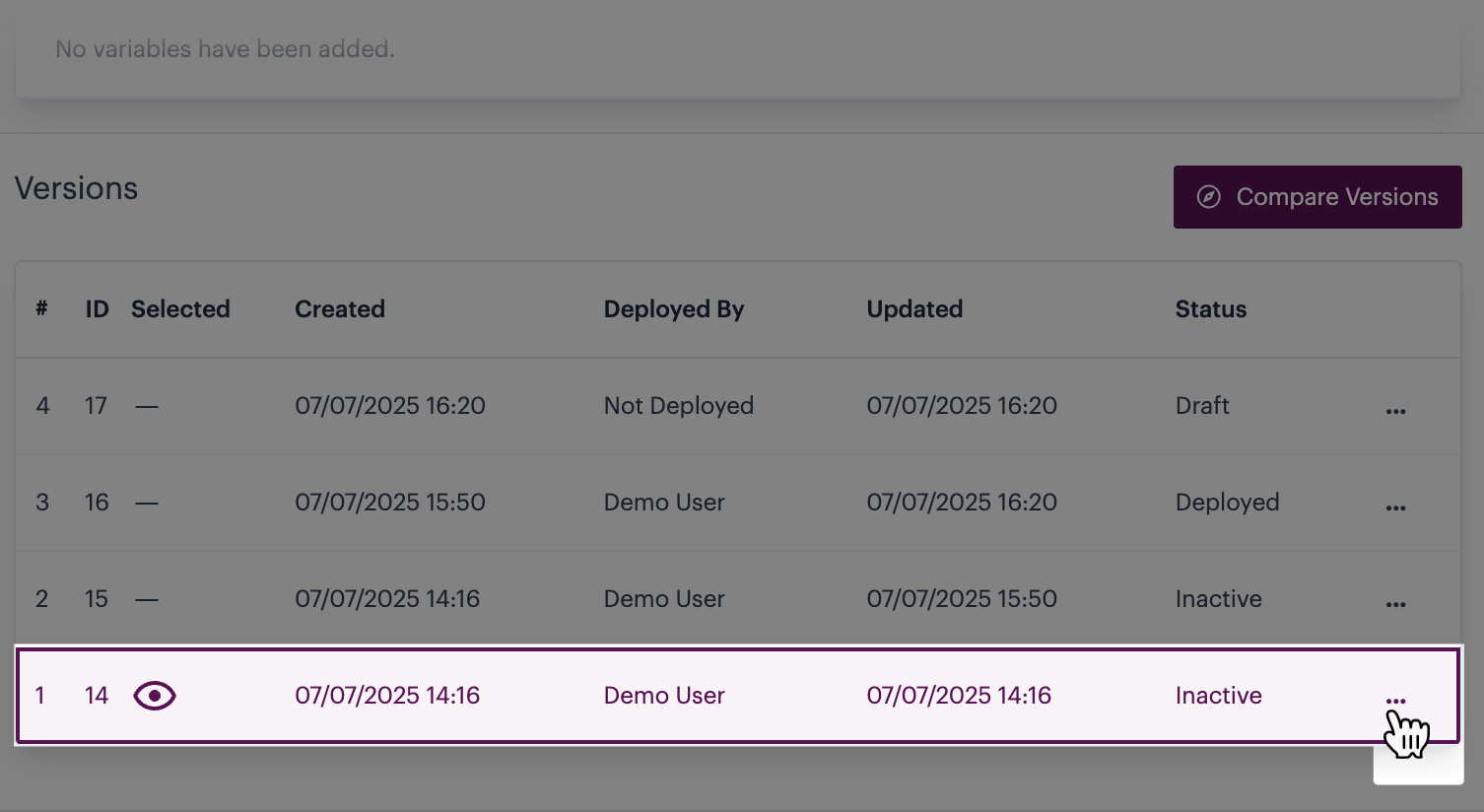
Click the ellipsis icon associated with the inactive version that you want to remove, for example:
{% endstep %}
{% step %} Remove the inactive version
Select the delete option:
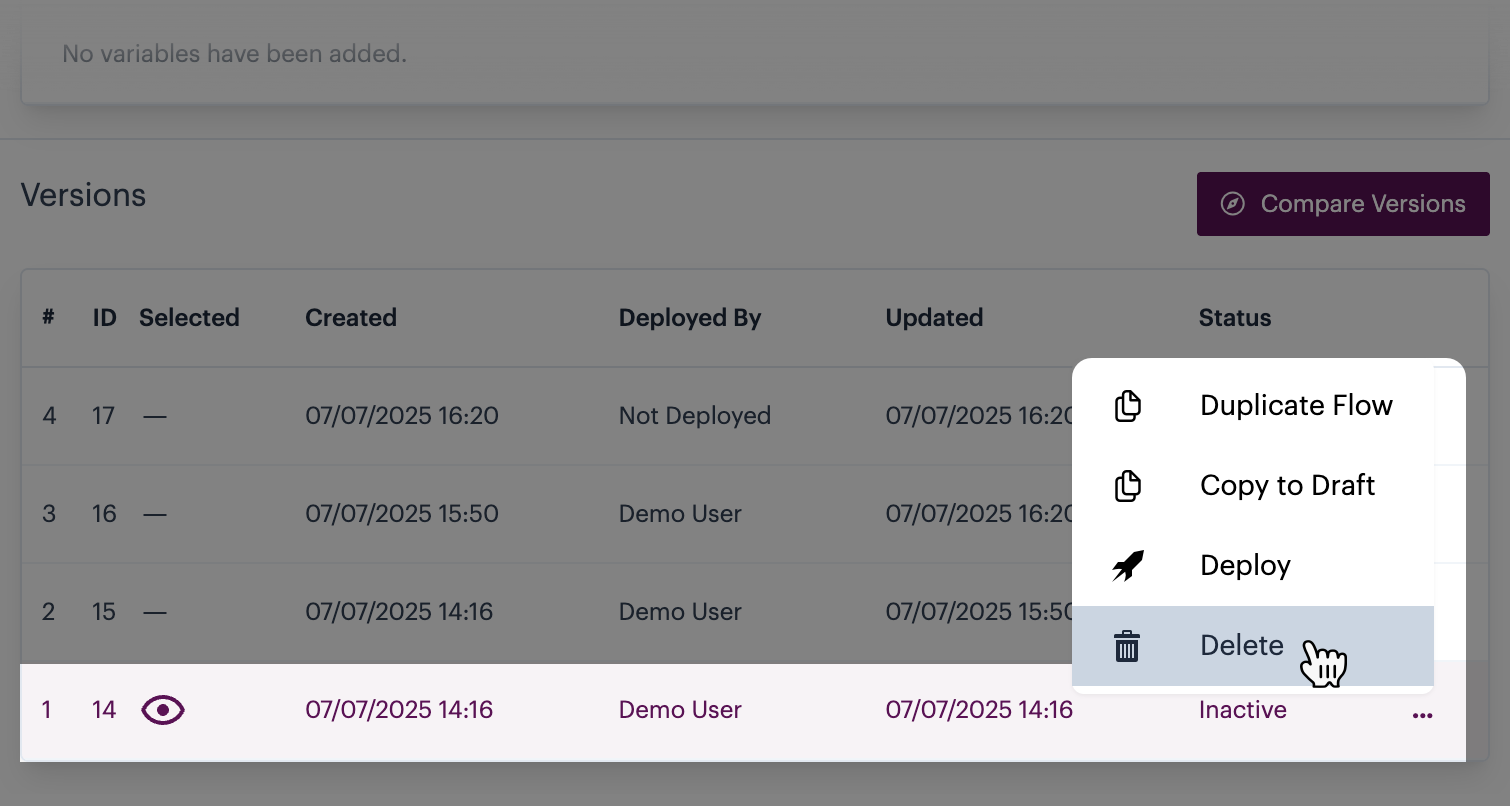
The `delete` option is only shown when an `inactive` version is selected.
{% endstep %} {% endstepper %}
Comments
0 comments
Please sign in to leave a comment.