
To view this content in our official product documentation, click here.
Introduction
Any updates to a deployed process flow must be made in a draft version, and then this version must be deployed.
Sometimes it can be useful to copy the contents of an existing deployed or inactive process flow version to the draft version, as a starting point for editing. For example, you might have lost track of changes that have been made to the current draft and want to ensure it's in step with the deployed version before making changes. Or, you might want to revert to an older way of working, and so copy an inactive version to the current draft.
{% hint style="warning" %} When an existing deployed or inactive version is copied to draft, the version number associated with the draft stays the same, but the content is replaced. {% endhint %}
The steps
{% stepper %} {% step %} Access version details for the required process flow
Open settings for the required process flow and scroll down to the versions panel.

For detailed instructions, please refer to Accessing process flow versions.
{% endstep %}
{% step %} Access version actions
Click the ellipsis icon associated with the deployed or inactive version that you want to copy, for example:

{% endstep %}
{% step %} Copy the selected version to the current draft
Select the copy to draft option:
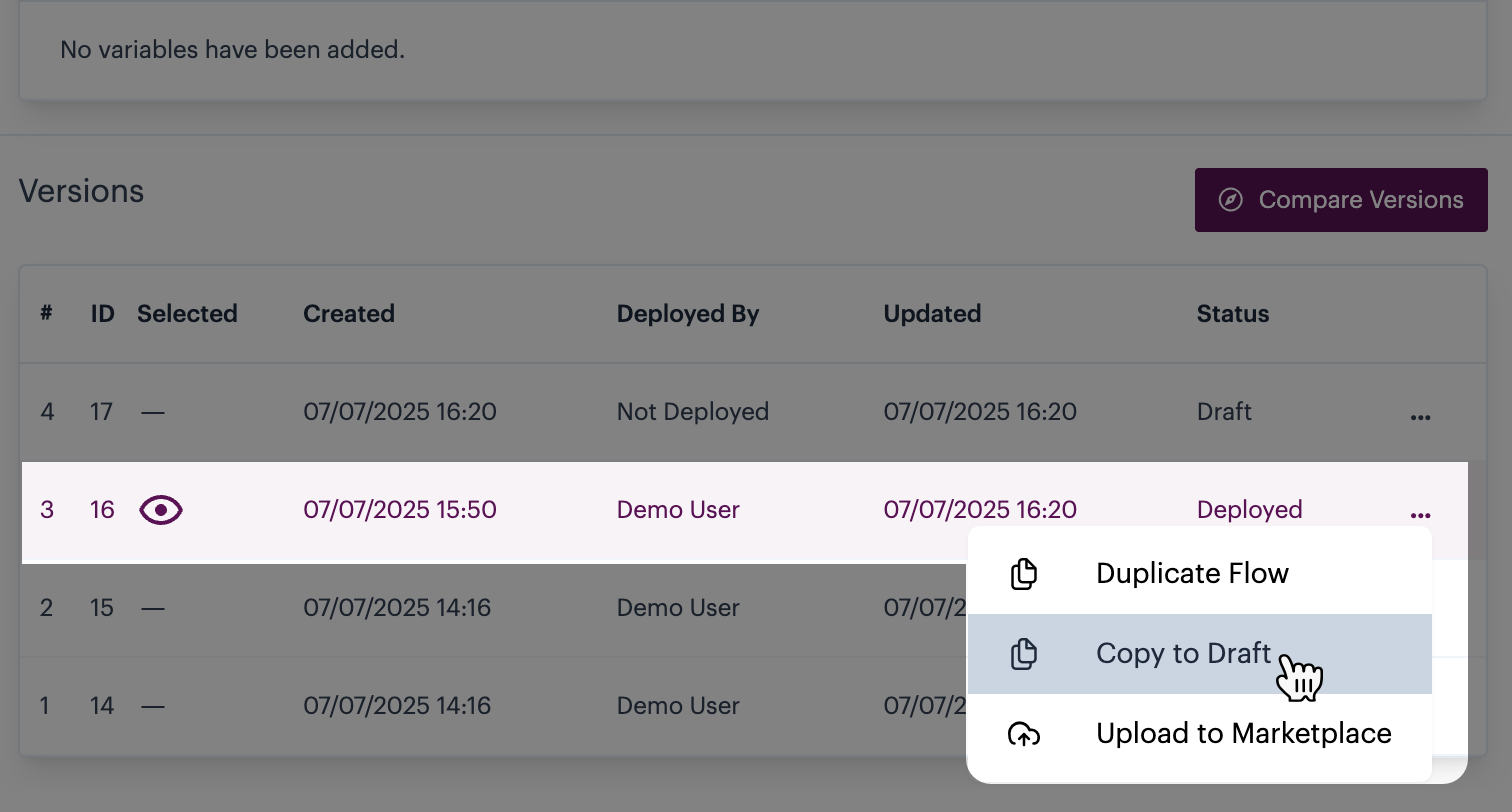
The `copy to draft` option is only shown when a `deployed` or `inactive` version is selected.
{% endstep %} {% endstepper %}
Comments
0 comments
Please sign in to leave a comment.